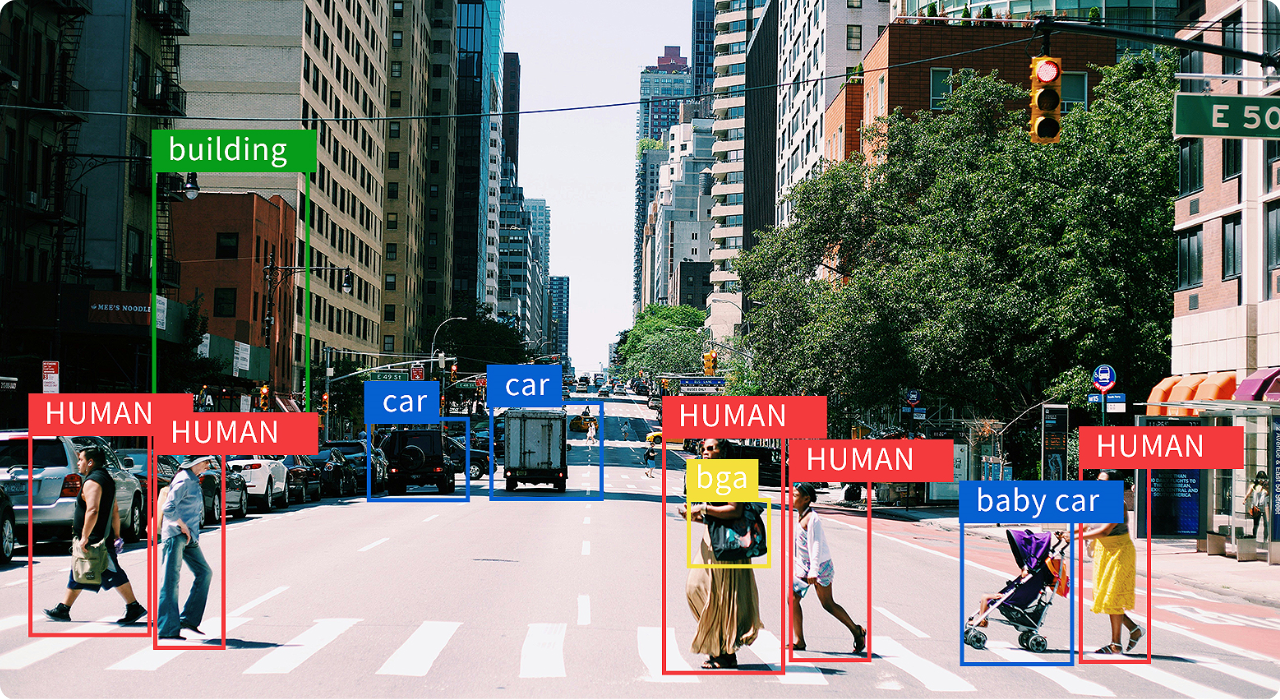
YOLOv10m is a medium-sized model within the YOLOv10 series, aimed at real-world scenarios that require a balanced trade-off between detection accuracy and inference speed. Compared to YOLOv10n and YOLOv10s, YOLOv10m incorporates more network layers and parameters, enabling it to better detect small objects and perform robustly in complex environments. It adopts an anchor-free detection approach and a lightweight backbone, while integrating multi-scale feature fusion and a decoupled head structure to enhance its representational capacity and stability. YOLOv10m is well-suited for deployment on moderately powered edge platforms in applications such as urban surveillance, industrial inspection, smart security, and retail analytics.
Source model
- Input shape: 1x3x640x640
- Number of parameters: 15.81M
- Model size: 58.84M
- Output shape: 1x300x6
The source model can be found here
Model Farm provides optimized model resources and test code, which can be obtained through the following two methods:
Obtain via Model Farm page: Click Models & Test Code in the Performance Reference section on the right to obtain model resources and code packages.
Obtain via command line (Recommand): Users with APLUX development boards can obtain model resources and code packages through the built-in MMS tool.
# Search Models
mms list [model name]

# Get Models
mms get -m [model name] -p [precision] -c [soc] -b [backend] -d [file path]
For MMS usage, please refer to: MMS Usage & Access to Preview Models
When the user has fine-tuned the source model, the model conversion process must be performed again.
Users can refer to either of the following two methods to complete the model conversion:
Using AIMO for model conversion: Click Model Conversion Reference in the Performance Reference section on the right to view the conversion steps.
Using Qualcomm QNN for model conversion: Please refer to the Qualcomm QNN Documentation.
The model performance benchmarks and example code provided by Model Farm are all implemented based on the APLUX AidLite SDK.
For models in .bin format, you can use either of the following two inference engines to run inference on Qualcomm chips:
Inference using APLUX AidLite: please refer to the APLUX AidLite Developer Documentation
Inference using Qualcomm QNN: Please refer to the Qualcomm QNN Documentation
Inference Example Code
The inference example code is implemented using the AidLite SDK.
Click Model & Code to download the model files and the inference code package. The file structure is as follows:
/{model_name}_{SoC Name}_{Precision}

    |__ models # folder where model files are stored

    |__ code # aidlite python model inference example

        |__ python # aidlite python model inference example

        |__ cpp # aidlite cpp model inference example

        |__ README.md